How To
Step 1: get your session data
Using Coachbox:
- Make sure your sportswatch is synced with Coachbox
- After your session, go to your calender on (the coachbox app) and open the analysis of your run
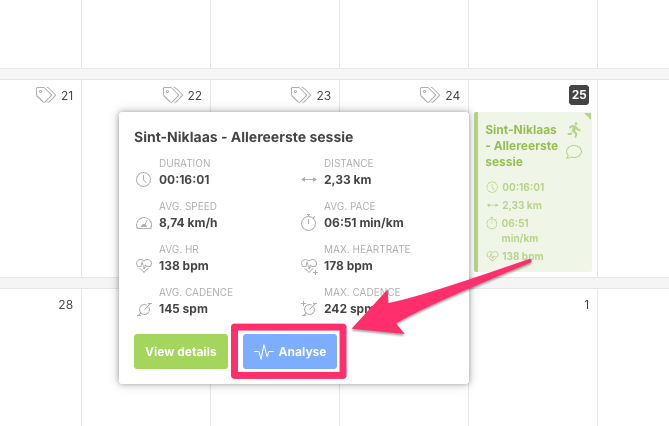
- Now on the top right of the graph, open the menu
...and selectDownload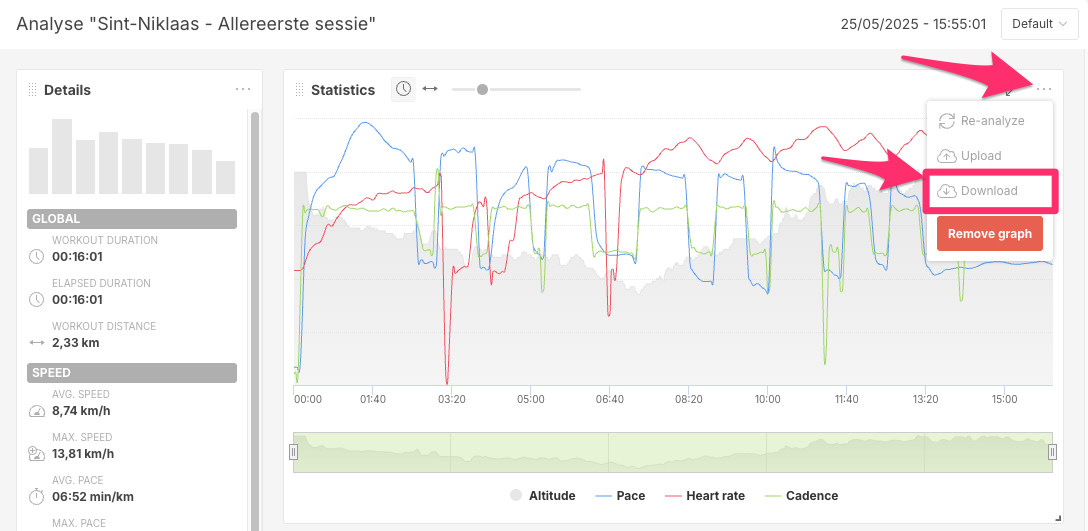
- Check your downloads folder if you have a new
.fitfile.
Using Garmin:
If you do not have a Coachbox account, you can get your session information directly from the Garmin Connect app.
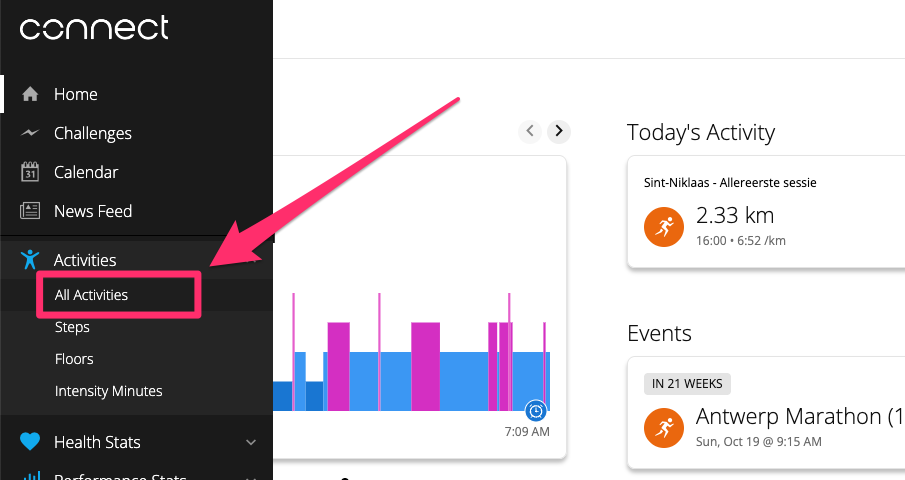
- Go to the (Garmin Connect Activities page) and open the session you want to export.
- Click on the GEAR icon to open the options menu and select
Export File.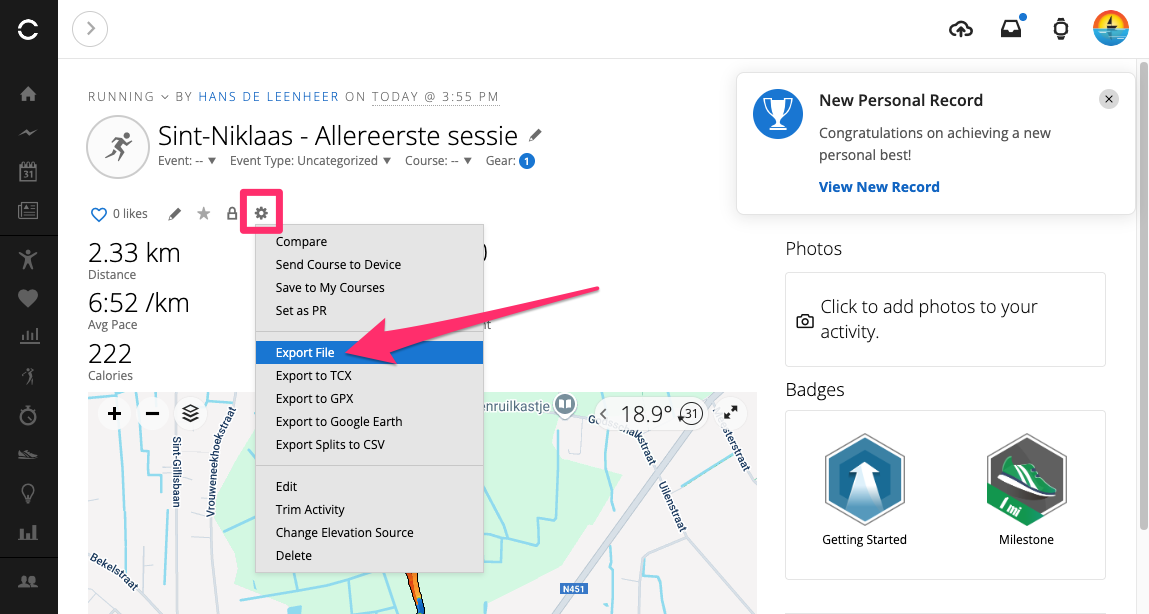
- Check your downloads fodler if you have a new
..zipfile. - Open the ZIP file and you will now get an activities
.fitfile